Wednesday, February 3, 2010

Inchy by Inch Challenge : another B and C

I"m working away at filling up all the sides of my little 1" cubes. I decided to leave the bottom side blank. I will put an inchie on each of the 4 sides and then the actually letter they represent on the top. Once I get a little more done, I will share a photo with you.

1" x 1"
I used "Leading Ladies" by FCD on this one.


1" x 1"

This one was a tiny portion of a much larter scene.

Creative Belli Challenge #84 - Ribbon


Good Morning!  Today is Creative Belli Challenge Day and I am excited to be joining the very talented DT over there as a Guest DT Member today!  Creative Belli is all about using up some of those embellishments you have lying around.  You know, the ones we hoard.  Yep, we all do it.  A couple of years ago there was a phrase spreading around that said "She who dies, with the most supplies, WINS!!  I think we all took that a little too seriously, teehee.  We would love to have you join us as we encourage you to use up some of your stash and also offer up a little give-away as well!  So hop on over, check out all the inspirational projects by the DT, and play along!
Creative Belli Challenge Blog 
The challenge today is "Ribbon".  Who doesn't have ribbon!  So no reason for you to not to play along!
I created a layout for this challenge.  No patterned paper here.  And look at all the ribbon I used out of my stash!  I wanted to do something a little different to inspire you so I used some fishing "thingy's".  You know, the kind you find in DH's tackle box.  They may be a little difficult to see, but they are the small black links connecting the ends of the ribbon (third from the top and fourth from the bottom).  Since the colors were black and pink I thought they worked out great.  Another great embellishment to use like this would be bracelet links or charms.  I hope you are insprired to think about a fun or unusual way to use ribbon today!
And in case you are wondering, that photo is from a VERY long time ago, 20 years.  This is my daughter and I.  She has become a fine young women who I am so proud of.  Thanks for letting me ramble!
I'll be back tomorrow!

Tuesday, February 2, 2010

Crafty Secrets Bouquet of Joy


I created this one for the Crafty Secrets Challenge Thread over at SCS.
You can check out this stamp set HERE.
PP - Making Memories

Monday, February 1, 2010

Just My Sketches Challenge

Good Morning!  I'm excited to share with you a unique and fun challenge blog today.  Deanne over at Just My Sketches has decided to add a little twist to her sketch challenges that I think you will find is wonderfully creative and different from the other challenges blogs.  She has decided to combine her sketches with MUSIC!!  I thought this was the coolest idea because I LOVE music and listen to it when I'm creating (when I'm not listening to political talk radio).  I'm convinced it makes me more creative.
I have always admired an artist expression through lyrics and have found many songs express perfectly how I feel in a much better way than I could ever express it.  So when I saw an opportunity to apply for this unique challenge blog, I jumped at it!  Guess what?  I made the team.  I'm so excited.  Deanne  will be posting new challenges on the 1st and 15th of the month.  She will post a sketch and a list of songs/lyrics to inspire you.  It could be a central theme or just a couple of words from the song that inspire you.  Check out all the details here :  JUST MY SKETCHES

So I used today's sketch and was inspired by "Put Your Records On".  What a fun song.  For me, it says don't take everything in life so seriously.  Let your hair down, relax, and enjoy yourself every now and then.
And here is my card that expresses that!


I hope you will be inspired and hop on over to the Just My Sketches Challenge Blog and join us!

On a personal note :
We finally had a warm spurt down here in Florida.  It was so nice to open up all the windows and get some fresh air flowing through.  Here is a photo of one of my daughters cats sitting in the window, enjoying the fresh air as well.  I refer to her as "girl cat", teehee.  And yes there is a "boy cat" as well.  I'll have to catch a photo of him as well to post some day.  I think this photo reminds us that our pets can sometimes remind us that we should slow down and take time to soak up some fresh air and sun as well! 


"Therefore humble yourselves under the mighty had of God, that He may exalt you in due time, casting all your cares upon Him, for He cares for you."  1Peter 5:6-7.

Thursday, January 28, 2010

FCD - Forgive Me Project #4


Created for :
 Just the Girls Challenge Blog  to use one of Lauren Meaders templates

I created this cute little gift box using one of Lauren Meader Timeless Templates. Lauren still has lots of templates over at PTI, but she just started her own site as well. Check out My Time Made Easy HERE. It was soooo easy! It came in 2 sizes and I made the smaller one. Basically I downloaded the template from PTI ($5). Then I double clicked on the file and it opened up into an Adobe Reader window. Then I printed it! I cut the pieces, adhered together, decorated the front! You have to use your own punch to create the hole in the handle, as you can see, I'm a little off center. But it was my first time, so I'm sure my next one will be better.

Stamps : FireCracker Designs by Pamela (FCD) Forgive Me set and Butter/Dragon fly set.

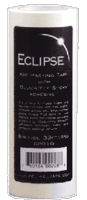
I created 3 mask using Elipse Masking "Tape" (it's not really tape, it's like a post it note with the sticky stuff over the entire back of it). I inked the stem/leaf portion of the stamps with VersaMagic Spanish Olive and then added Purple Hydrangea to the floral area. I stamped the same image repeatedly to create my garden, using the mask to prevent clutter and enable me to stamp them "on top of each other". I poped up a butterfly, added ribbon, and inked the edges. Really quick and easy.

Inchy by Inch Challenge : C

1 " x 1"

C is for cupcakes of course!
Isnt' this one a cutie.  I used liquid applique for the icing.

Tuesday, January 26, 2010

Shabby Chic Valentine Letterbox


I was browsing in a local Antique store and found this beat up letter box.  It's probably not "antique".  Some of the stuff in our local Antique stores look like stuff people picked up at Garage Sales and put in their booth.  But I don't like to go to Garage Sales, so I was more than happy to pay $10 for this.  I love the little ornamental pieces on it.  So I decided to embellish it for Valentine's Day.  Crafty Secrets has the most wonderful Vintage images at wonderful prices.  HERE.  There are "Booklets", "Cuts", and "Cotton Scraps".
HERE is a list of all their "Love" products.  I used some of these images to embellish my box. 


I hope you were inspired to get busy crafting and not just cards, but something you can sit out in your home and share!  Your home is your canvas!
Have a great week!

You can view all of my VALENTINE projects HERE.

Sunday, January 24, 2010

Designing with Vintage Digital Images / Stamps


One of my goals this year was to try to do some "Clean and Simple" style cards.  This style is not always easy for me, but when I seen last weeks image over at "Digital Two For Tuesday", I was inspired that I could do it using this gorgeous image.  Cora works hard finding vintage images, repairing them and posting them for others to use for their personal use.  These images are free and the only thing she ask is that you not post the image for others to download anywhere else.  Please refer them to her site.  She post 2 vintage images every Tuesday on the Digital Two For Tuesday Challenge Blog, and then she post more "bonus" images on her personal blog on Saturdays.  She also sells a few Vintage Clear Stamp Sets in her Etsy Store.  I recieved my first set this week and loved creating my first project and can't wait to use the other images in this set.  I will post all of her links for you further down.

You can copy and print out this image HERE.


So lets get on with today's tutorial for this particular image.
Go to Digital Two For Tuesdays Blog.
Right click on the image.
Click "Save picture as"
Save to a folder that you can find easily.  I save my free digital downloads in one file labeled "Digital Downloads",  then I create files within this one that are labeled per the site I found them because I want to be able to give proper credit if I use them later.  So this one is saved in a file names "Digi 2 4 Tues".  This where I save all of Cora's wonderful images that I choose to download.

Now open up a word document.
Select File, then Page Set up.
Enter the following Settings : top - 0.5, bottom - 1, left - 0.5, right - 0.5, header - 0, footer - 0, Orientation - Landscape.Select OK after you have done this.  A message box will pop up telling you that one of your margins is outside the printable area and ask if you would like to continue.  Select yes.

Now you are on your document page.  Select "Insert", "Picture", and the "from a file".
Now find your file.  "Insert" it in the document.  It will appear very large with a box around it and "handles" at each corner.  Move your mouse pointer to the bottom right corner, hold down the left click button and drag the corner up and to the left, reducing the size.  Reduce it till the right side of the box is aligned at the 4.5" mark.  This is what centers it on your card.  So now the left side of  the box should be aligned with 0 and the right side with 4.5.  If your box disappears, just click on the center of the image and it will reappear again. 
Later we will be cutting our paper at the 5" marker.  Now you need to click you mouse pointer to the side of the image so that your curser appears, hit the space bar til the curser arrives at the 5.5" mark to create some space between image 1 and image 2.  Right Click on the image and copy, then paste.  It will appear huge again.  Grab the bottom right handle again and reduce the size and the document will automatically move it up to the spot where you left your curser.  Now resize the image as you did before until the left side is align with the 5.5" mark and the right side is aligned with the 10" mark. 

Now you have aligned your images horizontally to create 2 cards.  It's time to align them vertically.This one is easy once you move your curser all the way back over to the far left of image 1.  Sometimes that is a little tricky since the image is right up against that spot.  I have accidently deleted my image before while trying to do it, but then you just select "Edit" and "Undo" and you are back in business.  This is actually the hardest part of the whole process, teehee.  I just keep clicking in different spots until the large curser appears to the left of the image.  If you click and it blacks out the images (selecting both of them), or the box appears around image 1, then click below it to clear that and try again til you find that sweet spot that gives you the huge curser. 

Once you have the curser set to the left of image 1, you just hit enter till you get all the way to the bottom of the page.  I usually just hit it till it goes all the way to page 2 and the backspace once and I know I'm as far down as I can go for that page.You are ready to print!

I print mine on thick cardstock, Papertrey Ink because I like the weight and my copics blend best on it.  But you do whatever you like.  I do go to "Properties" when the printer box comes up, and select the heavy weight setting.  As I have said before, I use an Epson and do not have any problem with my ink bleeding with Copics or Prismacolor pensils and OMS, unless I scrub really hard.  I have a friend who finally gave up on printing her digis on her HP and finally bought a cheap Epson just for that.  She said sometimes the HP ink worked ok with her HP and sometimes it ran.  I do not know how other printer inks work and would LOVE to here feedback from others and put some data together on this. 

Once you have printed your card, place the paper horizontially on your paper cutter and cut the paper down the center at the 5.5" point.  Now you have 2 cards.  Turn each card and score/fold at the 4.25" mark (center).  Use your favorite border punch to decorate the front edge.  Color your image.  I used Copics and then some shimmer chalk in the background.  It's a very light pink so I didnt' have to worry about getting it on the green and could get into all those little spaces. Add your favorite sentiment if you wish.  Mine will probably end up being another birthday card, since I am sending out so many this year.  Secure a piece of ribbon!!

Ok so the instructions are long, but trust me you can whip these up really fast.  I just went into alot of detail for beginners!  Wouldn't a make a nice note card gift set!! 

I would love to hear if this tutorial was helpful and if you used it.  Tutorial do take alot of time to post and it encourages me to take the time to do them if I know someone is actually using them. 

Thank you so much for taking the time to read!!

Inchy by Inch Challenge : B

Hello Inchy Fans!

I decided that I needed a way to be able to sit my Inchies out and show them off, so I bought these little wood inchy blocks and I will be adding them as I go along! I'll have to show them to you once I get a few done!

Here is last weeks challenge to use the letter B.

1" x 1"

Stamp Set : Magenta


Colorization : Copics
Hey did you notice I figured out how to photograph better Inchy photo's??

I finally fiqured out if I set my camera on the Macro setting I got MUCH better photo's!

Just a little tip in case anyone else is struggling with this issue.

I'm sooo excited and can't wait to do the letter "G". Some one loaned me a Great "G" stamp!!
See ya next week with the letter "C".

Saturday, January 23, 2010

And the winner is ...

Hi ladies.  So I included Juanita in the number of comments (she commented in the Prize announcement post) for a total of 25 (one was deleted) and the winner for the drawing is ...


True Random Number Generator

Min: 1
Max: 25
Result: 24
Powered by RANDOM.ORG

Gayle Taylor!!

Congrats and I am off to email you!

If you are interested in winning a prize, then check out all the details HERE.

Impression Obsession Challenge

I created this one for the Impression Obsession "Shaped Card" challenge.  Mine is definitely not as fun as some of the other creative shapes that some of the other participates and DT came up with, so if you interested, hop over to the Impression Obsession Blog and check out the blog hop, HERE.
If you love Impression Obsession and would like a chance at winning a $25 Gift Certificate, then you will definitely want to play along with their challenges !! 


Patterned Paper : Melissa Frances
Purple Cardstock
Colorization : Copics
Distressing tool : Tim Holtz
white ink around edges of scallop by Brilliance - Cloud White

Thanks for looking and have a great weekend!

Wednesday, January 20, 2010

Prismacolor Pencil Tutorial

Hi everyone.  I recieved an email a couple of days ago from a FCD customer, Dianna Enns, who had just purchased my new digital images.  She had questions on how to color and shade with Prismacolor Pencils.  I decided instead of just emailing her back it would be better to post a tutorial in case there are other beginners out there who need to know.  She actually chose the colors I have used today.  I love these colors Dianna!  Thanks for the inspiration.  I hope some of the information I'm giving you today help you in using your pencils!

I'm sure there is more than one way to do this, but I use oderless mineral spirits to blend my colors.  It is equivalent to Gamsol and can be purchased at a local craft store.  I have heard of people using baby oil.  But the OMS runs about $5 bottle and if you use a coupon, even cheaper.  A bottle last for years.  Lets start by listing the supplies I use.

Supply List:

1. Prismacolor Pencils
Here is a link to Prismacolor site:
Choose the Soft Core Colored Pencils to read a little more about them.  They come is sets of 12, 24, 36, 48, 60, 72, 90, 132.
You can get the Prismacolor pencils sets at local Hobby Lobby and Michaels stores as well and use a 40% off coupon. (FYI I do not recommend the Prisma Watercolor Pencils).  I did not buy a set, so I can't really recommend any one set.  I bought mine individually as I needed them at local craft stores and my local stamp store.  I have a color chart that I made so that when I'm designing I can pick out my colors easily.  Keep in mine that the lead inside of these pencils are soft, so avoid dropping them, or it's possible the lead could break inside the pencil all the way up.
For other great deals, try Ebay.

There is another pencil that I really like. It's called Kohinoor Woodless Pencils. They blend very well. I bought mine at Joann's for 40% off.  The set I bought was a small set, but it looks like they make larger ones now, up to 24.  Check them out here:

2. Blending Stumps or Tortillions
I prefer the solid blending stumps.


The other option is Tortillions and are "wrapped" paper.


3. Sandpaper Pad
I purchased all of these supplies at my local craft store in the artist section. 


4. Oderless Mineral Spirits
I use the Mona Lisa Brand.
You will notice on the front it says Oderless Paint Thinner, same thing as Mineral Spirits and the expensively sold "Gamsol" that you may see used by other artist.  I pour mine into a smaller glass jar to keep at my desk.  Here is what they say about it at Mister Art:
"Mona Lisa Odorless Paint Thinner is a mild, colorless solvent that is safe to use for all kinds of painting projects. It’s preferred by many chemical-sensitive artists for its low odor and toxicity levels."


There is another brand called Gamsol that claims it has removed the"harmful aromatic solvent solution".  You can check this out on Dick Blick here:


5. Click white eraser by Pentel


6. Pencil Sharpner 
Mine was purchased in the artist section of my local craft store.


General Information
I think as with anything, it's about practice and the "look" that you like.  To get shading, I try to use 2 similar colors, one darker.  If I don't have 2 shades to use, then I just use the one color for my shading.
Today I have used 2 colors in each area.  Just keep in mind that if you use one shade, to make it darker in the area's shown.  You can always add more color after blending.  You can use your white eraser to erase some of the color off and add highlights.  Some colors are easier to blend than others.

Online Art Stores where you might find these products:
Jerry's Artarama

On the photo below I used :
PC 1016 Deco Aqua & PC 992 Light Aqua
PC 921 Pale Vermillion & PC 1032 Pumpkin
PC 940 Sand & PC 942 Yellow Ochre


To begin blending dip your stump into the OMS for a few seconds, allowing the stump to absorb it.
Once it is absorbed, begin gently rubbing the darker area's in circular motions if the area is large enough.  After a few seconds the OMS on the stump should begin to break the color down and allow you to pull it toward the lighter areas, blending the 2 colors together.  Some people use more noticeable highlights.  Often mine blends together and the difference is not to noticeable on photo's, but enough for me in real life to make be happy.  Play with the shading and find what you like.


Sometimes I like to add Shimmerz to mine, it gives the color a finished look with a slight shimmer.  It darkens/deepens the color a little as well.  This sample didn't turn out as well as I would have liked, but I didn't have time to redo it.  Hopefully this is enough information to get your started.  I know you will continue to learn as you practice.  As far as using the OMS with digitals goes : I use Epson ink and bleeding is not a problem for me unless I rub too hard.  Remember the OMS is supposed to do the work, so you shouldn't have to "scrub" the color.  If it is a problem for your printer ink, try heat setting it or spraying the "Work Fixative" first.  That might help.   If you are not able to move the color, put your stump in the OMS again and asorb some more.  Use the sand paper to clean your stumps.  If I'm working on a large area I sometimes have to switch stubs or sand off some of the color to finish it.  So of the colors build up faster on the tip and become harder to blend, so you have to clean some of it off before continuing.


You can see the difference in shading in the following previously colored images.


I would love to know if this tutorial is helpful to you.
Have a great day!!

You can see all of my Prismacolor Tutorials HERE.

Sunday, January 17, 2010

Designing with Vintage Images / Stamps


Do you love vintage images??

Well then you want to check out the Digital Two for Tuesdays Challenge Blog.
Cora loves them and she spends time searching for them, repairing them and then sharing them with the rest of us.  Cora uploads 2 images weekly and challenges us to use one of them.  It's free to download them, and use them for your personal use.  Cora just trust that you will not post the image anywhere else and that you will link back to her since she is the owner of the image.  I played along one other time and created the Snowman project at the bottom.

Here are 2 cards using this weeks image and  one of last weeks images.
Cora also sells some really great vintage stamps.  I just ordered a set from her Etsy store and I can't wait to get them!  Here is a link to her ETSY STORE.

You can find the image on card #1 to copy and print HERE.
You can find the image on card #2 to copy and print HERE.


I used Epson ink to print these and then colored with my Copics without any problems.


This one I posted in my March of the Snowmen Blog Hop.  So you may remember it from there.  The image was posted on Digital Two For Tuesday back on December 1.

Wanna see what other projects I have created with Cora's free digi's??   Click HERE.

You can view more of my Vintage / Shabby projects HERE.
You can view more of my Winter projects HERE.
You can veiw more of my Corrugated Cardboard projects HERE.

Saturday, January 16, 2010

FCD - Forgive Me Project #2

I think that I mentioned last week that Pamela gave me the FCD Stamp Set "Forgive Me" to work with this month.   I love it!  And I decided to REALLY get my hands messy this week.

It's been a while since I sat and just made my own background panels.  I made them in several colors today.  I set these panels aside for future use.  I love texture and doing this gives me a break from working with patterned paper and gives my pieces a more distressed look.  Here is a close-up.


I started with watercolor paper I cut into 4.5" x 6" panels (it was sold 9 x 12").  I pulled out some vintage paper from an 1920's music magazine.  It includes some actual music pages and some article pages.  Next I gathered glazes (translucent paint) and crackle paint.  I have a few Golden Glazes I learned about taking a local class, but once I found out I could mix my own, I stopped buying them.  There is an acrylic glazing medium (also made by Golden) you can purchase to mix with inexpensive acrylic paint and this is a much cheaper way to go.  I glued my vintage paper over the watercolor paper then began brushing the glazes on.  The glazes have a longer "open" time, so you can use a paper towel to wipe it off if needed.  Why a glaze?  Because it allows part of what is under it to show through (the vintage paper) and enable you to build a collage.  Then I applied a coordinating color of crackle paint.  I'm very impatient, so I used a blow dryer to speed along the drying processs and this gave me some control of keeping the paper flat.  (the ones I left unattended roled up as the crackle medium dryed).  Then I set the panels aside for future use.  I can layer on more paper, paint, or ink when I begin to design the project.  You may remember me mentioning that I had done this process before but threw the panels in the bottom of a tall box and sprayed with Glimmer Mist (I usually start by brushing on a color first), sprinkles on distress embossing powder, while they were still wet, and then heat embossed.  I added a little crackle paint to some of these as well.  I have had alot of fun using them and thought it was about time to make some more.  To finish off my background for this card I distressed it with some Versa Magic Pumpkin Spice Ink.  I added Fun Flock to the center of the flowers to add more texture.  I stamped the flowers more of the vintage paper, but when I went to color them the print started to run, so I sprayed them with "Work Fixative" (you can get it at a local craft store that sells artist supplies).  Then I was able to color them with my copics. 

$8.99


Well I hope yo forgive me for such a long post.  So much to tell you though!  Have a great Sunday!

Sunday, January 10, 2010

Crafty Secrets Cherish Stamp Set


12x12 Layout
I designed this vintage style layout using the "Flourishes" and "Cherish" stamp sets from Crafty Secrets.  I love their stamps and I can't wait til the new release that is coming very soon!!


Frame and Masking Tutorial
This is a close-up of the frame I built using masking tape.  If you take a look at the stamp sets, you can see that I used a couple from Cherish, but most of the frame was built using one stamp from the Flourish set and stamping it over and over, masking where needed.  I started with a penciled frame (rectangle) as guidelines on off-white cardstock.  I used the photo size to determine the size of the inside window.  I started stamping in the lower left corner and then continued up the left side, across the top, down the right side, and across the bottom.  I stamped the first image on the left lower corner of the frame and again on Eclipse Masking tape.  I trimmed the image from the Masking tape and then layed it over the same image I had just stamped on the project, masking - or protecting it.  Then I stamped the second image up the left side - "love" and again on Eclipse Masking tape.  Trimmed it and layed it over the same image on the project.  At this point I started using the one flourish image to finish the frame.  Again stamped the image on the project and again on Eclipse Masking Tape.  Trimmed it and layed it over the one on the project.  Seeing a pattern?  Here's the good news ... I can use the same flourish mask the rest of the way around the frame!  I know it's a little extra work creating the mask, but it will be worth it once you finish!  Giving you a one of a kind layout.

Now that it is all stamped, I trimmed out the inside of the frame using an exacto knife and a metal ruler.  I cut the "straight" area's first, stopping when a straight line intersected with a curved area of the image. Then I went back and trimmed around the part of the image that exteded over the pencil line.  That's how I got the unique shape on the inside and outside border.  I used a stipple brush to add red ink and distress.  I also traced around some of the swirls and inside the florals with red prismacolor pencil and blended with OMS to add some color.


2 more close-ups


I used Glimmer Chips on corners and here.  I think the patterned paper is Creative Imaginations as well.


Card
For this card I stamped the image on a Creative Imaginations Patterned Paper Frame.  I used Copics to color with.  I think the Creative Imaginations frame works great to create a romantic mood.


Thanks so much for checking out my blog!  I hope you are inspired to create this week!
Related Posts Plugin for WordPress, Blogger...